


Kendai v0.2.0 Is Here, with Terminal Viewing Support
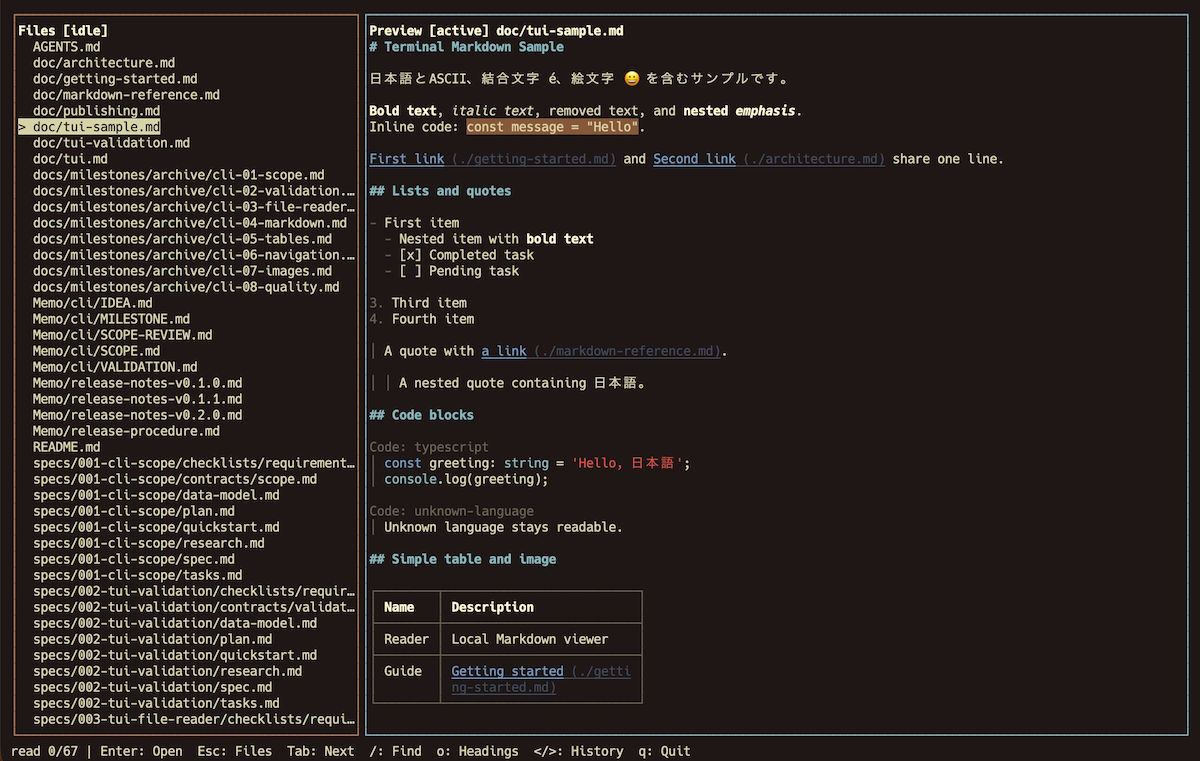
As a new experiment, Kendai v0.2.0 adds the ability to browse files in a TUI. Here is an introduction to the release.
What's New in Kendai v0.2.0
TUI stands for Text User Interface: a user interface displayed in a terminal with a two-dimensional layout. Unlike a command that simply returns a result, a TUI application can fill the terminal screen when launched. As noted in the repository, I have only tested it on Mac so far. If there is demand, I would also like to support Linux and Windows.
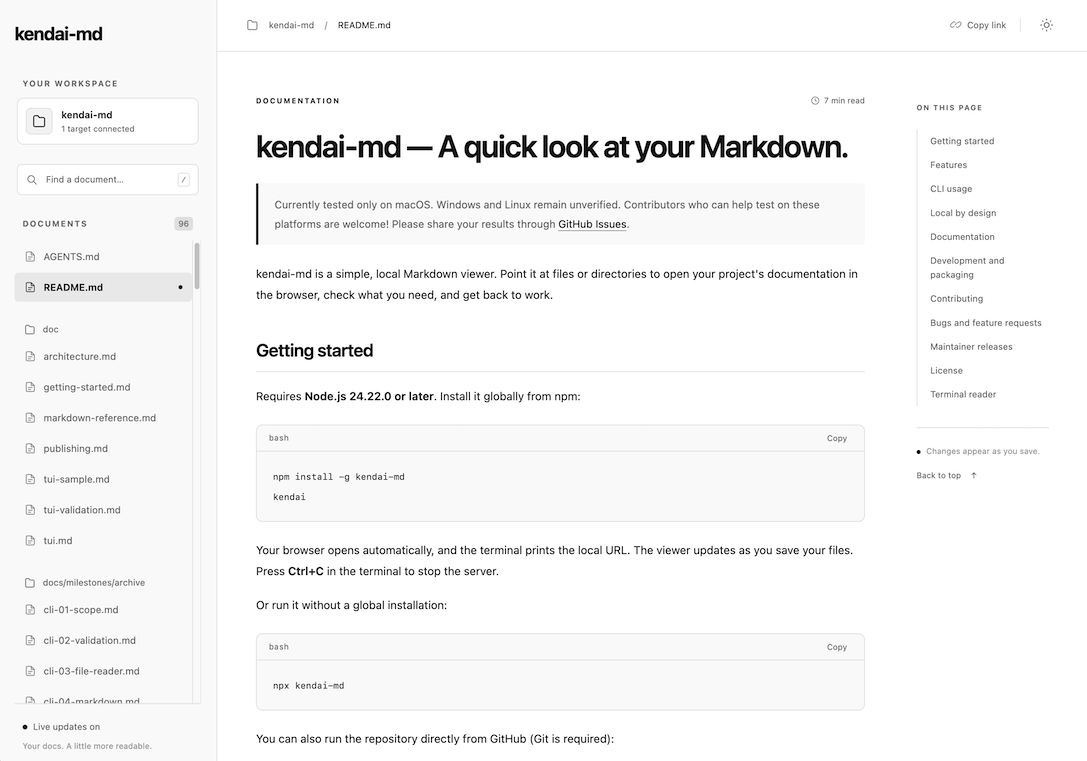
Normally, running the following command starts a local web server and lets you browse a list of Markdown files in the current directory and its subdirectories:
$ kendaiThe screen looks like this:
This release adds an option to launch the TUI version, like this:
$ kendai --tuiOr:
$ kendai -TThe T is uppercase.
Here is what it looks like in a Mac terminal. A list of Markdown files appears on the left; select one with the arrow keys and press Enter to view it.
Use the arrow keys or Page Up and Page Down to scroll. To return to the file list, press ESC.
You can also search within a file: press / to enter search mode, then use g for the next match and G for the previous match.
Making the TUI Easier to Use
Kendai's goal is to make opening Markdown as effortless as possible. The idea is that when you want to refer to a file, you can quickly open it right where you are and see it in a clear, readable form.
With that goal in mind, I thought that people working in a terminal would benefit from being able to open and close files quickly without leaving it, and that keyboard operation would be preferable to using a mouse or trackpad. That is where the TUI version comes in.
I have made various command-line applications before, but this is my first TUI. Once I started, I found it quite interesting, so I am thinking of exploring TUI applications for a while.
Starring the repository gives me extra motivation to keep going, so I would really appreciate it!