


Steam Machine Review: This Device May Also Influence XR
The long-rumored Steam Machine suddenly went on sale on June 23. Personally, I thought it would launch around the same time as Steam Frame, meaning a little later, so it caught me completely off guard. But I had already decided before launch that I was going to buy it, so I went to the sales site on release day and purchased one. It arrived on June 30. I have spent some time setting it up, and now that a few things have become clear, I will write a review.
I had been using Steam itself since around the time I bought a GPD Win Max 2021, but I started becoming interested in the devices themselves around the end of last year, when I heard the announcement that Steam Frame would be coming. Steam Frame is a VR gaming goggle rumored to be released by Valve in 2026, though I am not sure whether that is the right way to describe it. Officially, it seems to be called a "wireless VR headset + controllers."
I have been following development for Vision Pro enthusiastically, but I do not think that device has spread very widely. Looking at XR devices as a whole, even including smart glasses, it is hard to say that XR is generally popular right now. Even so, every time a new device appears, the user base must be expanding little by little, and I believe there will be a point where it becomes fair to say that it has taken off.
Steam has an enormous number of games, and quite a few of them support VR. Considering that Steam Deck keeps selling out and remains in short supply, I think Steam Frame, if sold at the right price, could contribute significantly to increasing the number of VR users.
In that atmosphere, I bought a Steam Deck this February. To be honest, Steam Deck is a device that launched several years ago, so in terms of performance it feels fairly outdated. I bought it because I strongly sympathize with Valve's policy of not intending to release a new model every year, and I was also tired of devices that seem to get new models every year.
Then, in the middle of all that, Steam Machine was released.
Steam Deck was a device that repeatedly sold out immediately after stock arrived. Things calmed down after the price increase, but before that, it felt like a purchase battle whenever stock appeared, and I lost many times.
Naturally, I knew Steam Machine would be the same, so at the release time I was waiting at my desk, ready to buy at any moment. Even with that preparation, the cheapest model sold out instantly, and what I managed to buy was the standalone 2TB model.
There was also a bundle with Steam Controller, but I already had one, so I decided to buy the standalone unit.
First Impressions
When the Steam Machine arrived at my home, the first thing I did not understand was how to open the cardboard box. I suspect quite a few buyers wondered how to open it.
Unlike a normal cardboard box that opens from the top, this one opens vertically from the middle. When opened, the surprisingly small Steam Machine is stored wrapped in soft paper. The power supply appears to be built into the main unit, and a normal plug cable is included.
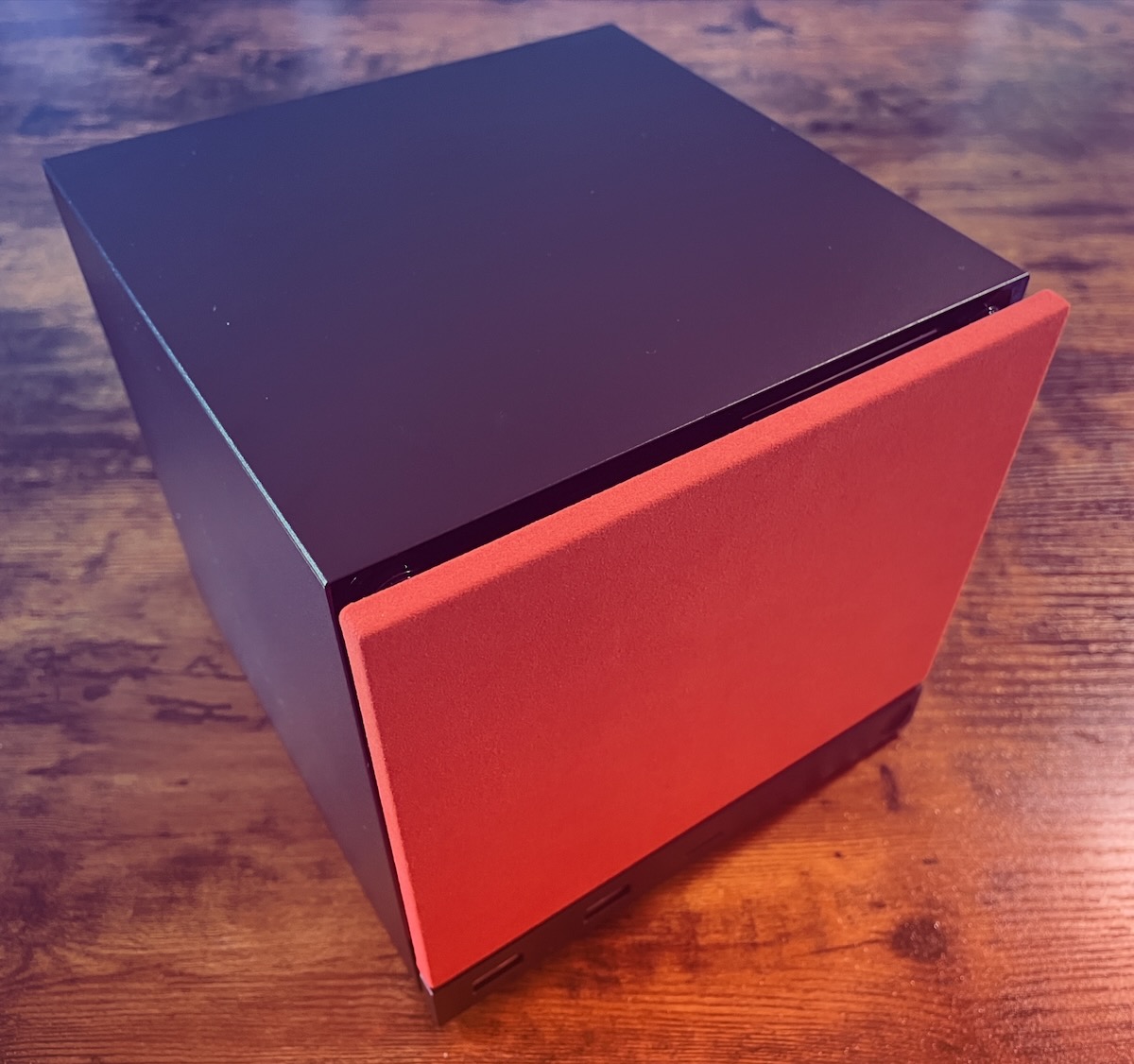
The 2TB model I bought includes replacement front covers. The default cover is black, but it also comes with two covers: red fabric and a plain walnut-like finish. The cover is easy to remove and attaches neatly to the body with magnets. As shown in the photo, I am currently using the red fabric cover. The chassis is roughly 16 centimeters square, smaller than I had imagined.
Because it has no display, you use it by connecting it to a monitor via HDMI or similar, but no sound plays when it starts up. It seems you need to connect some kind of speaker or earphones. That said, I could not find an earphone jack, so you use it by connecting speakers via USB or Bluetooth. I wish it at least had an earphone jack on the front. Also, the front only has two USB Type-A ports, so I would have liked at least one USB Type-C port.
If you connect an existing mouse and keyboard, they work immediately. It has the desktop mode that was also on Steam Deck. With Steam Machine, the connected screen is usually large, so if you connect it to a 4K monitor, it can work quite well as a regular desktop PC. What makes it better than a general desktop, however, is how quickly it wakes from power on and off, like a home game console. That was actually one of the reasons I bought a Steam Deck too.
About Games Installed on Steam Deck
Steam Machine starts with nothing installed. As a test, I inserted the SD card from my Steam Deck into the Steam Machine. It recognized the installed games and I could play them as they were. It felt good to reduce the trouble of having to install everything again from the internet.
That said, some people will probably want to play on both devices. In that case, by selecting "Storage" from "Settings," you can move games from the SD card to the main unit and place them inside the Steam Machine itself.
In addition, for games installed on the Steam Deck itself, I was also able to install them from Steam Deck to Steam Machine over the local network, as long as both were on the same network. The high level of affinity between these devices feels Apple-like, probably because the same OS and hardware are developed together as a set. As an experience, it is excellent.
One thing that bothered me was that moving large games from the SD card sometimes failed. Since the failure happened after hours of file transfer, the psychological damage was large.
How About Connecting with Vision Pro?
Vision Pro originally had a beta version of Steam Link. I had installed it via TestFlight and tested gameplay, but it now seems that Vision Pro is officially supported. Unfortunately, my home Wi-Fi environment is weak, so the connection level is low. Even so, when I linked it with Steam Machine and played, it was quite smooth. As long as it is not a racing game or similar, it feels like it could be played normally.
Playing games spread across Vision Pro's originally beautiful full screen made me feel that an era has arrived where this kind of play can be realized with only a small cube-shaped device. It appears that playing VR games is not supported yet.
By the way, streaming from Steam Machine to Steam Deck (Remote Play) works quite well for playing games, so I recommend it if you want to lie down and play on a beautiful screen. I wonder if some kind of optimization is being done. This weekend I plan to check various combinations of Steam Machine and Meta Quest 3, and if I can do that, I plan to write another article.
What Comes After Steam Machine
Finally, I will write about why I am so fascinated by Steam Machine. At this point, I personally think the target users for Steam Machine are light users who want to play PC games. People who can buy and manage a gaming PC with a high-end graphics card will probably get a better-performing game experience that way. Conversely, Steam Machine, whose setup is extremely easy, seems friendly to beginners. That kind of user buying it is the first stage.
I think there may also be a next stage: Steam Machine as a device optimized for Steam Frame.
When Steam Frame comes out, I think there is a possibility that the number of buyers will jump even further. Although Steam Frame is described as standalone, I suspect it will show its true value when connected to some kind of PC.
If that happens, Steam Machine, optimized for Steam, may come back into the spotlight. It may even be sold as a bundle. I think Steam Frame is the first device in a while with the potential to energize the VR industry.