


Let's Create a Local Marketplace in Codex and Add a Custom Plugin
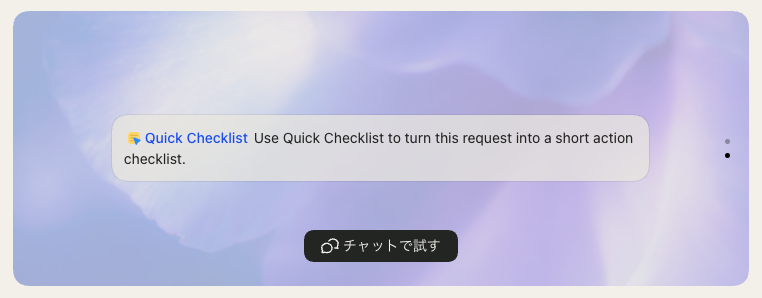
Codex has expanded in many directions for customization, including custom prompts, MCP, and Skills. Among the newer features in this area are Marketplace and Plugin. This time, I will create a Marketplace locally and place a plugin in it.
A Marketplace is a feature for distributing a list of Plugins. Because the official Marketplace is built into Codex App, some people may have already seen it. By the way, when I checked again to see when this feature appeared, it was March 26. That is fairly recent.
Indeed, I feel that previously we installed Skills and MCP servers individually. A Plugin is described as "a reusable workflow bundle for Codex consisting of skills, app integrations, and MCP servers."
Plugins can be installed easily through the GUI using a Marketplace. This frees you from work such as writing settings in config.toml. So this time I will create a Plugin. In addition, I will prepare a local Marketplace and display the list of Plugins there.
The official documentation below explains in detail how to build Marketplaces and Plugins.
Preparing a Local Marketplace
A Local Marketplace can be added by preparing $REPO_ROOT/.agents/plugins/marketplace.json and running codex plugin marketplace add . at the repository root. For example, the following Local Marketplace contains two plugins.
marketplace.json
{
  "name": "local-codex-marketplace",
  "interface": {
    "displayName": "Local Codex Marketplace"
  },
  "plugins": [
    {
      "name": "hello-codex",
      "source": {
        "source": "local",
        "path": "./plugins/hello-codex"
      },
      "policy": {
        "installation": "AVAILABLE",
        "authentication": "ON_INSTALL"
      },
      "category": "Productivity"
    },
    {
      "name": "quick-checklist",
      "source": {
        "source": "local",
        "path": "./plugins/quick-checklist"
      },
      "policy": {
        "installation": "AVAILABLE",
        "authentication": "ON_INSTALL"
      },
      "category": "Productivity"
    }
  ]
}
When you install this as a Local Marketplace, you can see it in Codex App as shown below.
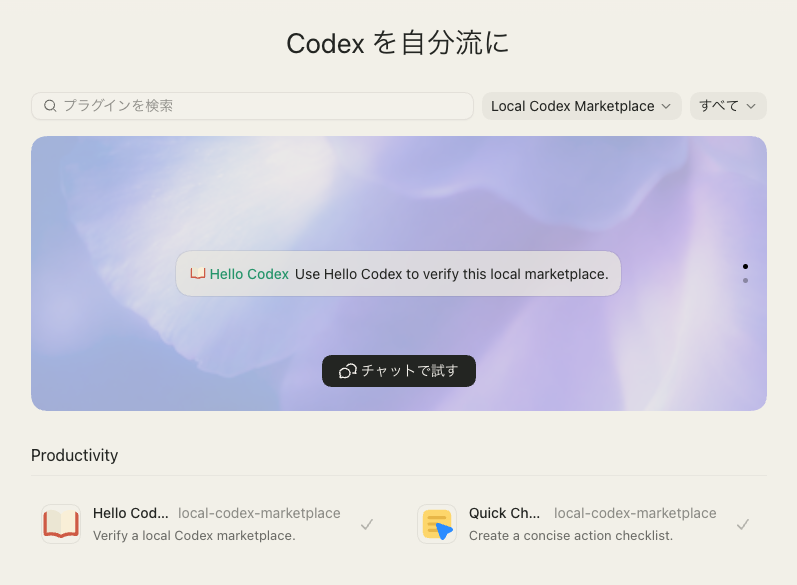
Installed Plugins are displayed graphically in a carousel, and there are install buttons too, so it feels quite satisfying after making one. It seems like preparing common plugins for various projects within a company in this way could make it easier to share environments.
By the way, marketplace.json has several settings that take fixed values. You can check their roles in the following code, so take a look if you are interested.
- Default new entries to:
    - `policy.installation: "AVAILABLE"`
    - `policy.authentication: "ON_INSTALL"`
- Override defaults only when the user explicitly specifies another allowed value.
- Allowed `policy.installation` values:
    - `NOT_AVAILABLE`
    - `AVAILABLE`
    - `INSTALLED_BY_DEFAULT`
- Allowed `policy.authentication` values:
    - `ON_INSTALL`
    - `ON_USE`
Let's Create a Simple Plugin
Using the documentation mentioned above as a reference, prepare a plugin with the following structure.
plugins/hello-codex
├── .codex-plugin
│   └── plugin.json
├── README.md
└── skills
    └── hello-codex
        └── SKILL.md
plugin.json is where the Plugin metadata is written, and it is required for each Plugin. In this sample project, I wrote settings like this. For brandColor, I have only confirmed that setting it changes the plugin name in the Marketplace carousel to the specified color. But if the UI changes someday, it may be reflected more significantly.
plugin.json
{
  "name": "hello-codex",
  "version": "0.1.0",
  "description": "A minimal sample plugin for verifying a local Codex marketplace.",
  "author": {
    "name": "Local Codex Marketplace"
  },
  "license": "MIT",
  "keywords": [
    "sample",
    "marketplace",
    "codex"
  ],
  "skills": "./skills/",
  "interface": {
    "displayName": "Hello Codex",
    "shortDescription": "Verify a local Codex marketplace.",
    "longDescription": "A minimal sample plugin for verifying a local Codex marketplace.",
    "developerName": "Local Codex Marketplace",
    "category": "Productivity",
    "capabilities": [
      "Read"
    ],
    "defaultPrompt": [
      "Use Hello Codex to verify this local marketplace."
    ],
    "brandColor": "#10A37F"
  }
}
The Skill prepared this time only displays text. Feel free to rewrite the contents and try it.
SKILL.md
---
name: hello-codex
description: Return a short greeting from the local Codex marketplace sample plugin.
---

When this skill is invoked, respond exactly with:

```text
Hello from the local Codex marketplace. This is the Hello Codex sample plugin.
```

Do not call external services, request configuration, or add extra explanation.
There is a dedicated screen for installation, and it is quite fun.
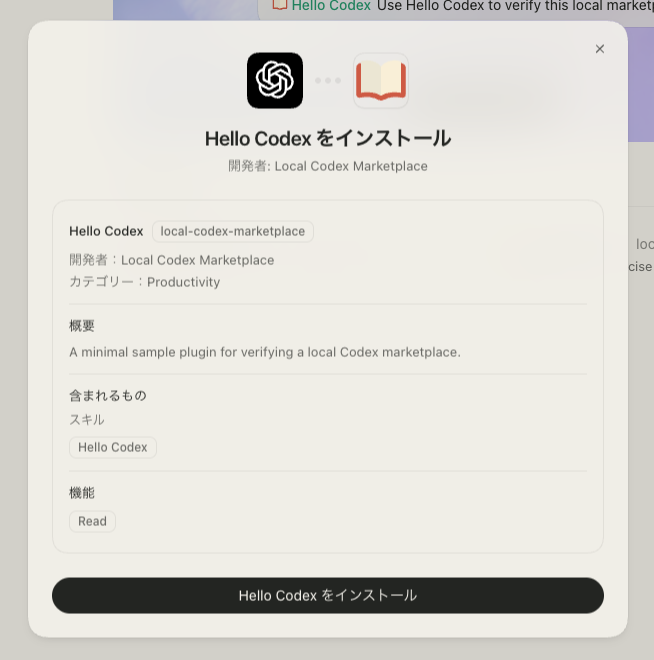
This Plugin has only one Skill. I did not set a logo, but a unique icon appears in the Marketplace. I looked into how this works, but I could not figure it out. The icon may change depending on the Plugin metadata.